All the Tools You Need. One Website.

Free, secure, and fast. Edit PDFs, convert images, and format code directly in your browser.

Trending this week

Explore Our Tools

AVIF to JPG

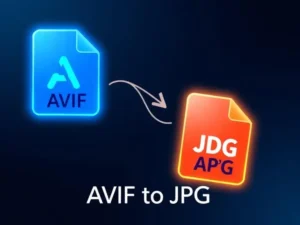
AVIF is great for web optimization, but not every platform supports it yet. Our converter makes your images universally compatible. Just upload, convert, and download - no signup needed.

Email Bounce Rate Checker

High bounce rates hurting your campaigns? Upload your contacts and we'll analyze potential issues with your list. Clean lists mean better deliverability and emails that actually reach inboxes.

Advanced Background Remover

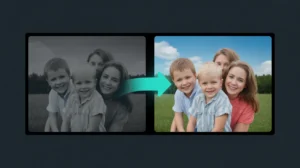
Remove backgrounds in seconds with AI precision. Perfect for product photos, portraits, or logos. Our AI handles tricky edges and hair better than manual selection ever could.

Image Rotation Tool

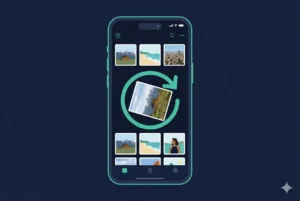
Photos come out sideways? Rotate or flip images instantly - 90, 180, or 270 degrees. No quality loss, no complicated software. Quick fixes when you need them.

Image Cropper

Crop photos to exact dimensions or remove unwanted edges. Perfect for social media posts, profile pictures, and thumbnails. Set custom sizes or use freeform cropping.

Image Size Compressor

Big image files slowing down your website? Compress JPGs and PNGs without losing visible quality. Reduce file sizes by up to 80% while keeping your images looking sharp. Faster loading times mean better SEO and happier visitors.

Images to PDF

Combine multiple images into a single PDF document. Great for creating portfolios, reports, or sharing image collections in one convenient file. Arrange images in any order and export instantly.

Image Upscaling

Need bigger images without the blur? Our AI upscaler increases resolution while preserving details and sharpness. Turn small photos into high-quality prints or enlarge images for banners and posters without pixelation.

Malware Scanner

Worried about infected files? Scan any file or URL for viruses, malware, and security threats before downloading. Our scanner checks against multiple antivirus engines to keep your system safe. Better safe than sorry.

AVIF to JPG

AVIF is great for web optimization, but not every platform supports it yet. Our converter makes your images universally compatible. Just upload, convert, and download - no signup needed.

Advanced Background Remover

Remove backgrounds in seconds with AI precision. Perfect for product photos, portraits, or logos. Our AI handles tricky edges and hair better than manual selection ever could.

Image Rotation Tool

Photos come out sideways? Rotate or flip images instantly - 90, 180, or 270 degrees. No quality loss, no complicated software. Quick fixes when you need them.

Image Cropper

Crop photos to exact dimensions or remove unwanted edges. Perfect for social media posts, profile pictures, and thumbnails. Set custom sizes or use freeform cropping.

Image Size Compressor

Big image files slowing down your website? Compress JPGs and PNGs without losing visible quality. Reduce file sizes by up to 80% while keeping your images looking sharp. Faster loading times mean better SEO and happier visitors.

Images to PDF

Combine multiple images into a single PDF document. Great for creating portfolios, reports, or sharing image collections in one convenient file. Arrange images in any order and export instantly.

Image Upscaling

Need bigger images without the blur? Our AI upscaler increases resolution while preserving details and sharpness. Turn small photos into high-quality prints or enlarge images for banners and posters without pixelation.

Email Bounce Rate Checker

High bounce rates hurting your campaigns? Upload your contacts and we'll analyze potential issues with your list. Clean lists mean better deliverability and emails that actually reach inboxes.

Malware Scanner

Worried about infected files? Scan any file or URL for viruses, malware, and security threats before downloading. Our scanner checks against multiple antivirus engines to keep your system safe. Better safe than sorry.

Latest Guides

Hello world!

Welcome to WordPress. This is your first post. Edit or delete it, then start writing!

Read More »